How to choose commercial door hardware for your small business
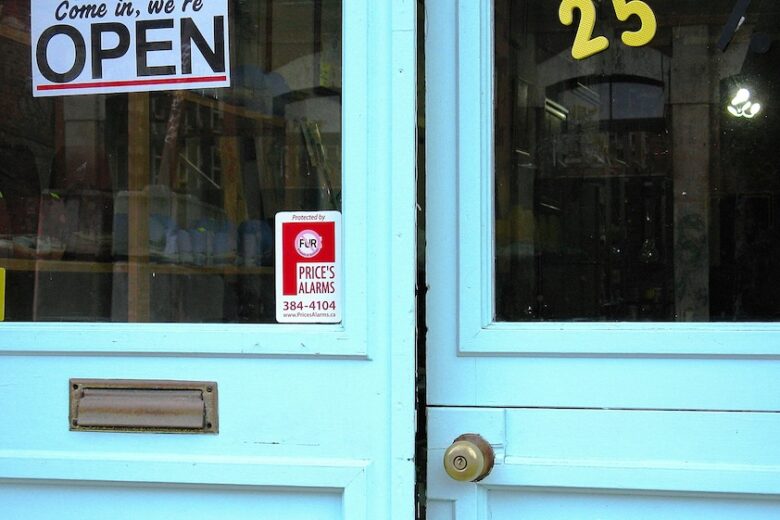
As you walk through your first shop with a notebook, check the doors alongside the shelving, counter and paint colors. A loose entrance lever, a stockroom lock that doesn’t secure the room or a restroom door that won’t stay shut can add work to your opening plans. Door hardware affects how customers enter, how staff control access and how everyone gets out. Work through the premises door by door before you order.
Key takeaways
- Function first. Decide what each door must do before you choose a finish.
- Plan for exit and access. Employees must be able to open exit-route doors without a key, and accessible operation involves more than choosing a lever.
- Check the fit. Record each door’s details and ask for compatibility confirmation in writing.
- Price the whole job. Ask for an itemized quote that separates hardware from installation.
Start with the job each door needs to do
Walk the shop and list every door. A small store might have a customer entrance, a doorway between the sales floor and the back room, a restroom and a stockroom. Answer two questions for each before you look at products.
Who uses it?
Note whether the door serves customers, staff, delivery drivers or only you. A door customers open throughout the day needs hardware suited to that traffic and easy to operate.
When should it lock?
Lock makers call this the lock function. A passage set never locks; it latches so the door stays closed. Allegion describes privacy sets as the function used for restrooms or dressing rooms, where the occupant locks the door from inside. A privacy lock isn’t intended to secure a stockroom. A storeroom function keeps the outside lever locked while allowing people to open the door from inside. Confirm the exact operation of the model you choose.
Use this example as a starting point, then have your installer confirm the function each doorway requires.
| Door | Who uses it | When it should lock | Function to discuss |
|---|---|---|---|
| Customer entrance | Everyone | Outside trading hours | Keyed entry with the required inside-exit operation |
| Sales floor to back room | Staff | Never, if access control isn’t needed | Passage set |
| Restroom | Customers and staff | From inside, while occupied | Privacy set |
| Stockroom | Staff with a key | Always, from outside | Storeroom function |

You’ll also see terms for the hardware itself. A leverset includes the handle and latch. A mortise lock has a body set into a pocket in the door edge. Hinges carry the door’s weight, a closer controls its closing, and an exit device provides push-bar operation on some exit doors. The lock’s construction and its function are separate choices.
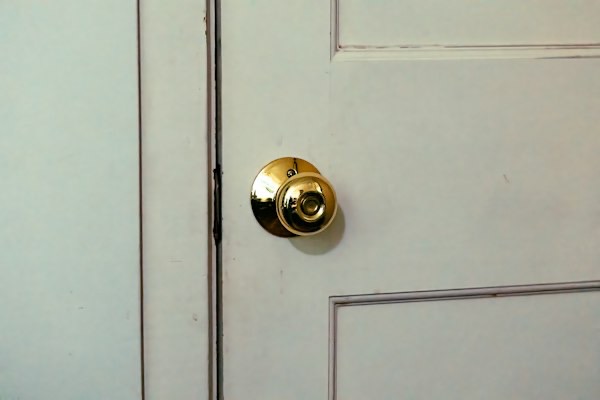
Once you’ve listed what each door needs, you can compare commercial door hardware from suppliers such as DoorsForPros, whose range includes levers, mortise locks and closers. Use the catalog to compare options by function, then confirm the selected item’s fit and suitability for your premises.
Make safe, straightforward access non-negotiable
Easy everyday use
Section 309.4 of the 2010 ADA Standards requires covered operable parts to work with one hand without tight grasping, pinching or twisting of the wrist. Door hardware is addressed through the standard’s applicable door provisions. The US Access Board’s guide explains that round knobs don’t comply because they require wrist twisting. Ask your installer and local building official which requirements apply to your doors.
A lever alone doesn’t make a doorway accessible. A heavy door or stiff closer can still make it difficult to enter. Check the handle and closer together rather than treating the handle as the whole access decision.
A clear way out
OSHA’s exit-route rule, 1910.36, requires employees to be able to open an exit-route door from inside at all times without keys, tools or special knowledge. A back exit that needs a key from both sides doesn’t meet that requirement. A storeroom lock that remains keyed outside while opening freely inside can provide entry control without creating that particular barrier to escape. The complete installation still needs to meet the rules that apply to the doorway.
Whether a door needs a push-bar exit device, and which replacement hardware a labeled fire door can accept, depends on the occupancy, applicable code and door assembly. Don’t assume every commercial door needs a panic bar, or change hardware on a fire-rated door without confirmation.
After installation, test each door, latch and closer together. Check one-handed operation, confirm that doors fitted with closers close and latch, and verify key-free opening from inside on exit-route doors. Keep the route to each exit clear of stock and equipment.
Match the hardware to the door you already have
Existing holes, recesses and mounting points affect which replacement hardware will fit. Record them before choosing a product.
Record before you order
Make a one-page sheet for each door with photos. Note the material, such as wood, hollow metal, or aluminum and glass; its thickness; which way it swings; and the frame’s condition. Include model markings on the existing lock or closer and any fire-rating label on the door or frame.
Record the existing lock preparation, meaning the holes or recesses cut to accept the lock. A cylindrical lock fits through holes bored in the door face, while a mortise lock sits in a recess in the door edge. Changing between these types can require changes to the door.
Schlage’s PC Series, for example, lists a 2-3/4 inch backset as standard, with 2-3/8, 3-3/4 and 5 inch options. Backset is the distance from the door edge to the center of the lever. Even one lock family has several configurations, so measure rather than assume.

Ask for a compatibility check
When comparing DoorsForPros’ levers, mortise locks and closers, use your door sheet to identify the configuration you need. Send the sheet to your supplier and installer before paying, and ask for written confirmation that each item fits its intended door.
Ask for the exact product specification too. “Commercial grade” doesn’t identify a particular performance rating. BHMA identifies Grade 1 as the highest of its numbered product grades, with requirements set by the applicable hardware standard. Its certification program includes periodic factory audits, and products that fail can lose certification. A product grade doesn’t establish that the installed doorway meets code.
If you’re considering an electronic lock, ask what happens when power or batteries fail, how staff credentials are added and removed, and whether there are ongoing charges. Check compatibility with the existing door before choosing electronic features.
Budget for the complete installation
Santa Clara University’s My Own Business Institute advises estimating the full cost of operating a space rather than considering rent alone. Apply that approach to door hardware: the item price is one line on a longer quote.
Compare like-for-like quotes
Ask each installer for an itemized quote separating hardware, installation, door or frame repairs, keying, electronic setup if selected, delivery and tax. Ask about future maintenance costs separately so you can distinguish the opening expense from ongoing costs.
DoorsForPros listed the LCN 4040XP surface-mounted closer at $394.10 on November 22, 2026. That dated item price isn’t a configured total or an installation quote. Confirm the finish, arm configuration and total supplied-and-installed cost before comparing it with another quote.
Before anyone drills, ask your landlord in writing which alterations are permitted and who pays. Lease terms differ, so settle responsibility for any required door or frame work before approving the installation.

Keep the handover information
File the invoice, specification sheets, key records and closer adjustment instructions together for maintenance and any landlord or insurance queries. Use this checklist to track the job:
- Approve an item list with each product assigned to a specific door.
- Obtain written compatibility confirmation.
- Book installation after any required landlord approvals.
- Test every installed door, latch and closer, including inside-exit operation.
- File the instructions, specifications and invoices.